
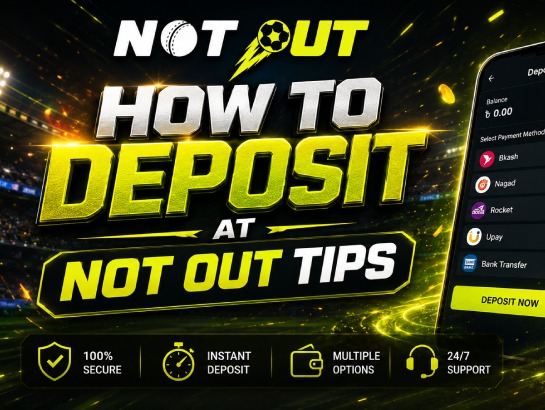
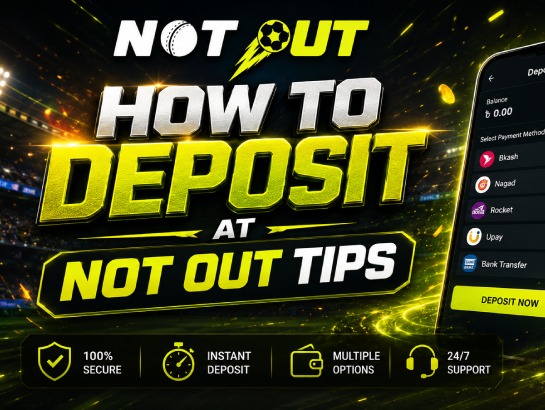
How to Deposit at Not Out? It takes less than two minutes to fund Not Out account balance once you know how to navigate the system. This document will share the actual screens with you, using bKash as the example, but the steps will be exactly the same if you use either Nagad or Rocket (as they both have the same Not Out e-wallet payment steps.
Where to Find the Deposit Button: How to Deposit at Not Out – Complete Guide
Once you have logged into your account, you will see your username and account balance in the upper right-hand corner of the page, with two buttons adjacent to one another (green button labelled “Withdraw” and white button labelled “Deposit”). To continue, click on the Deposit button to start this safe deposit method Not Out offers.
Your Payment Type
After clicking on the Deposit button, there are three options available for payment:
- E-Wallet: (bKash/Nagad/Rocket)
- Local Bank (Bank Transfer)
E-wallet is generally the quickest option for most users from Bangladesh, so click it.
E-Wallet Selection
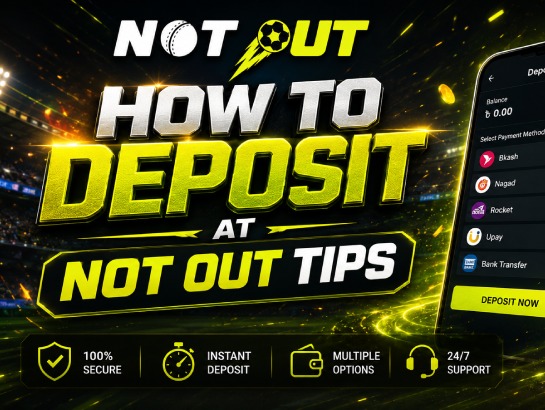
After selecting what you would like to use as your E-wallet, you will see 3 logos (one for each of the different E-wallets) for bKash, Nagad, and Rocket located at the top of this section. To make your selection just tap on the logo that corresponds to the E-wallet you wish to use.
You will then be presented with a form containing information that will change automatically based on the E-wallet that is selected; we will use bKash to demonstrate this because each of the three E-wallets have the same layout.
3) Payment System
People often dislike reading the full directions and then become frustrated when there are problems with an order due to their lack of understanding.
On the payment page for your deposit transaction, you will see a mobile number (for example: +880 1XXX XXXXXX) as well as a copy icon next to it. The mobile number shows up on your deposit page and is created specifically for this transaction.
Open up your bKash app separately, select Cash Out (not payment), and deposit the exact amount to the mobile number that is displayed on that payment page. Please note that the account type will specify that you are sending to an Agent account,
Therefore, please be sure you are using an agent’s mobile number rather than a personal mobile number because the way bKash processes payments and their fee structure differ between agents and individuals.
The number that you see on the payee screen at the time of your deposit is the only phone number that you are allowed to send to. Do not use a phone number from a previous transaction and do not save the phone number you used during your previous transaction as these phone numbers will only work for the specific transaction in which they were generated and any funds sent to a previously used phone number will not be recoverable.
4. Complete Deposit Form
On the deposits page of NotOut Tips, fill out as much info as you can including:
- Upload proof of payment — optional, but we recommend doing it if you want quicker review in case there’s a dispute with your deposit.
- The unique transaction reference (your bKash/Nagad/Roket Transaction ID, or TrxID) is usually between 8-20 characters long and can be found in the SMS confirmation message that you receive from your bKash/Nagad/Roket account after you Cash Out.
- Enter how much you sent to NotOut Tips. Minimum deposit is BDT100 and maximum is BDT100,000 allowed via e-wallet transaction, along with the option to use quick select buttons for amounts of +BDT500, +BDT1,000, +BDT5,000, +BDT10,000, or +BDT25,000.
5. Submit & Await Confirmation
Hit Submit after entering everything. After the transaction ID matches, your balance will be added on their end; this usually doesn’t take long for e-wallet deposits.
Between You & Me, Here Are Some Things to Keep in Mind Prior to Making a Deposit
You cannot deposit anything less than BDT100. If you’re just trying to get your feet wet, then that is your minimum.
Your deposit number changes every time you make a deposit. This is done for security purposes only, and that’s totally normal (not a computer error). Make sure you write down your newest deposit number, because the bank and company have different rules for record keeping.
Depositing funds via your bank account, e-wallet or through a cryptocurrency wallet is very similar in how it flows. If E-wallet isn’t how you want to send funds, then using the Local Bank and Crypto tabs will be the same: select your method, insert all of the requested destination details, add the reference number (if required) and submit.
Frequently Asked Questions (FAQ)
1. What’s the minimum deposit amount?
No matter what payment service you use, the minimum deposit amount is BDT 100 and the maximum deposit amount is BDT 100,000 per single transaction.
2. Where can I find my Transaction ID?
After you cash out through bKash/Nagad/Rocket, you will receive a text message which includes your Transaction ID (TrxID).
3. Which payment method is the fastest for making a deposit?
E-wallets such as bKash, Nagad, and Rocket are generally the fastest and most convenient options for users in Bangladesh.
4. Can I reuse the deposit number from a previous transaction?
No, never reuse a phone number from a previous deposit. A new agent number is generated for each unique transaction for security reasons, and sending money to an old number will result in lost funds.
5. How long does it take for the funds to reflect in my account?
Once you submit the correct Transaction ID (TrxID) and deposit details, the system verifies it and adds the balance to your account within a few minutes.
Conclusion
Funding your gaming account is a fast, straightforward, and secure process when you follow the right steps. By choosing your preferred payment method, whether it is an e-wallet like bKash, Nagad, or Rocket, a local bank transfer, or cryptocurrency, and accurately entering your transaction details, you can ensure your funds arrive safely without delay. Following this How to Deposit at Not Out – Complete Guide will help you avoid common mistakes, keep your transactions secure, and get you straight into the gaming action hassle-free.